Karaoke Equipment for Home, Parties, and Performance
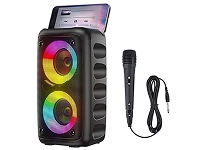
Karaoke equipment ranges from compact all-in-one systems to separate microphones, speakers, mixers, and displays. A portable karaoke machine is convenient for casual singing, while a component setup offers more control over sound and connections. Home users may prioritize simple song playback and family-friendly operation; hosts and performers may need stronger audio output, multiple microphone inputs, and adjustable vocal effects. Common features include Bluetooth streaming, built-in song libraries, USB playback, and connections for a television or external audio source. Before choosing, consider where the system will be used, how many singers it needs to support, and whether it must be easy to move or store. Ubuy provides a place to discover international karaoke equipment and compare different system styles and features.
- All-in-one and component system options
- Choose features to suit the room and occasion
- Compare connectivity and playback methods
Karaoke Microphones and Vocal Controls
Microphones shape how clearly singers are heard and how freely they can move. Wired microphones connect directly to a compatible input and avoid battery changes, while wireless models offer greater mobility but require attention to battery life, receiver connections, and signal compatibility. Some karaoke systems include two microphones for duets; others support additional microphones through a mixer. Look for suitable input types and controls such as microphone volume, echo, reverb, and balance between vocals and backing tracks. These vocal effects can add depth, but straightforward controls are often easier for group use. Shure, Audio-Technica, and Sennheiser are recognized names in microphone and audio equipment; compare individual product specifications rather than relying on brand alone. Check whether microphones, receivers, cables, or batteries are included before buying.
- Choose wired or wireless operation
- Check inputs, included accessories, and battery needs
- Consider echo, reverb, and vocal balance
Karaoke Speakers, Mixers, and Sound Quality
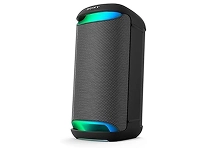
Speakers determine how karaoke sounds in a room, from clear vocals at home to fuller playback for a gathering. A system with built-in speakers can keep setup simple, while separate powered speakers allow a more flexible arrangement. Consider speaker size, output, placement, and whether the sound remains intelligible at the volume you expect to use. A mixer can combine microphone and music signals and provide separate level controls; some models also offer equalization or vocal effects. Check how the mixer connects to speakers and sources, including Bluetooth, RCA, auxiliary, or XLR inputs where applicable. Yamaha, JBL, and Bose are widely recognized in audio, but compatibility and the complete system configuration matter most. Match equipment to the space, number of singers, and available connections.
- Match speaker setup to room size and use
- Check mixer inputs and independent controls
- Confirm connections between all audio components
Song Playback, Displays, and Connectivity
Karaoke song playback may come from a built-in library, a compatible app, a connected phone or computer, or media played through USB or another supported input. Some systems display lyrics on an integrated screen; others send video to a television or monitor. Confirm that the display connection matches your equipment, with HDMI, composite video, or other ports depending on the devices involved. Bluetooth is useful for wireless audio streaming, but it may not provide lyric video on a separate screen, so check how the system handles sound and lyrics together. Review supported file types, app requirements, and available controls before choosing. Ubuy can help shoppers explore karaoke players, lyric displays, and accessories from international product ranges; verify each listing's specifications for the setup you plan to use.
- Check how lyrics and audio are displayed
- Match ports and formats across devices
- Understand app and playback requirements
Karaoke Accessories, Setup, and Care
The right accessories can make a karaoke setup more comfortable and reliable. Useful additions may include microphone stands, replacement microphone batteries, compatible audio or video cables, a speaker stand, a carrying case, and a pop filter for reducing breath noise. Confirm connector types and cable lengths before purchasing, and avoid assuming that accessories from one system will fit another. For setup, place speakers so vocals remain clear and keep cables arranged to reduce trip hazards. Follow the manufacturer's instructions for charging, pairing wireless microphones, and connecting external devices. Store microphones and cables dry and protected, and clean equipment with suitable methods rather than applying liquid directly to electronics. Routine checks of batteries, connectors, and speaker placement can help prevent interruptions during practice, parties, or performances.
- Check accessory fit and connector type
- Arrange speakers and cables thoughtfully
- Follow care guidance for each device
Select the Right karaoke equipment
Start by deciding whether you want a portable all-in-one karaoke machine or a modular setup with separate microphones, mixer, and speakers. Then compare the number of microphone inputs, supported playback sources, lyric display options, and controls for vocal volume and effects. Check compatibility with your television, phone, computer, and any speakers you already own; confirm which cables and accessories are included. For frequent travel or small spaces, portability and storage may matter more than extensive controls. For group singing, prioritize clear sound, multiple microphone support, and straightforward operation. Set a practical spending range and compare specifications against how you will use the equipment, rather than focusing on feature counts alone. Ubuy offers a way to discover international karaoke equipment options; review product details carefully to find a setup that fits your needs.
- Choose all-in-one convenience or modular flexibility
- Verify compatibility before ordering
- Prioritize features that match your use