- Mājas lapa /
- Software /
- Business & Office /
- Communication /
- Remote Access /
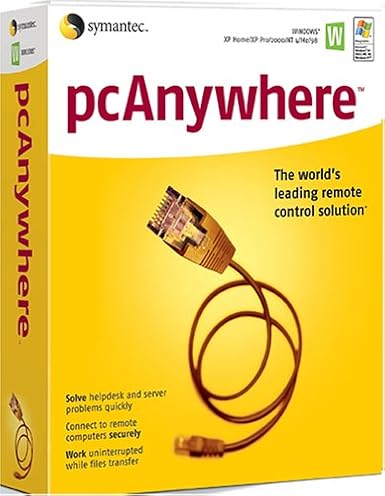
- SYMANTEC pcAnywhere 11.5 Host ( Windows )
0 ratings


Preces #:
124881647
SYMANTEC pcAnywhere 11.5 Host ( Windows )
Preces #:
124881647
€ 55
Price Details
Excluding Shipping & Custom charges ( Shipping and custom charges will be calculated on checkout )
*All items will import from ASV
0 ratings
Uzrakstīt atsauksmi
Noliktavā
 Importēts no veikala USA
QTY:
Pasūtiet tūlīt un saņemiet to Trešdiena, Septembris 09
Secured transaction
Ubuy works hard to protect your security and privacy. Our advanced payment security system ensures confidentiality by encrypting your information during transmission using AES (Advanced Encryption Standards) and SSL (Secure Socket Layer) protocols. Your payment details are 100% secure as we do not share your payment details with third party sellers.
Our Top Logistics Partners


Manage Windows and Linux systems with ease using SYMANTEC pcAnywhere 11.5, featuring remote management and collaborative tools.

Fast
Shipping

Free
Return*

Secure Packaging

100% Original Products

PCI DSS Compliance

ISO 27001 Certified



Note: Step Down Voltage Transformer required for using electronics products of ASV store (110-120). Recommended power converters Pērc tagad.


What Stands Out
Remote Access
Enables seamless remote access to your PC from any location, allowing users to troubleshoot and manage systems effortlessly, reducing downtime and increasing productivity.
Cross-Platform Support
Compatible with various operating systems, ensuring flexibility for users who need to connect from different devices, enhancing accessibility without compromising performance.
Robust Security
Offers encrypted connections and secure authentication methods, safeguarding sensitive information while providing reliable remote support to businesses, thus ensuring peace of mind for users.
Produkta informācija
| Is Discontinued By Manufacturer | No |
| Package Dimensions | 9.7 x 7.9 x 2.7 inches (24.6 x 20.1 x 6.9 cm); 4 Pounds (1.81 kg) |
| Date First Available | December 2, 2004 |
| Manufacturer | Symantec |
Who Should Buy?

-
IT Support Teams
Ideal for IT professionals who need to provide remote assistance and troubleshoot client machines effectively.
-
Remote Workers
Beneficial for employees working from home, allowing secure access to office networks and resources easily.
-
Small Businesses
Great for small companies requiring simple remote access solutions for collaboration without heavy infrastructure investments.

-
Casual Users
Not suitable for individuals looking for basic consumer-level remote access without advanced features or complexities.
PRODUKTA APRAKSTS
SYMANTEC pcAnywhere 11.5 Host ( Windows )
Vai jums ir kādi jautājumi? Terzet ar mums
Klientu jautājumi un atbildes
-
jautājums:
Kā iepirkties SYMANTEC pcAnywhere 11.5 Host ( Windows ) tiešsaistē no Ubuy?
atbildi: Ir viegli iepirkties SYMANTEC pcAnywhere 11.5 Host ( Windows ) tiešsaistē no Ubuy.. Jums vienkārši ir jāmeklē prece, izrakstīšanās laikā jāizvēlas piegādes veids un jāsaņem tā piegāde uz jūsu atrašanās vietu. -
jautājums:
Vai SYMANTEC pcAnywhere 11.5 Host ( Windows ) ir pieejams iepirkšanās tiešsaistē šeit: Latvia?
atbildi: Jā, Ubuy Latvia šis produkts ir pieejams, lai jūs varētu iepirkties par saprātīgu cenu.. SYMANTEC pcAnywhere 11.5 Host ( Windows ) nav pieejams lokāli, taču varat mums uzticēt mūsu ātrās piegādes pakalpojumus. -
jautājums:
Cik ilgs laiks nepieciešams, lai saņemtu preci pēc pasūtījuma veikšanas?
atbildi: Jūsu pasūtītās preces piegādes laiks atšķiras atkarībā no jūsu pasūtījuma un jūsu izvēlētā piegādes veida.. Paredzamais piegādes laiks tiek minēts norēķināšanās procesā, tāpēc iepērkoties esiet bezrūpīgs.
Symantec Remote Access Editorial Review
Redakcionālas atsauksmes netika atrastas
Customer Reviews & Ratings
1 klientu vērtējumi
-
5 zvaigzne
100%
-
4 zvaigzne
0%
-
3 zvaigzne
0%
-
2 zvaigzne
0%
-
1 zvaigzne
0%
Pārskatiet šo produktu
Dalieties savās domās ar citiem klientiem
Pros
- Easy installation process
- User-friendly interface
- Remote access capabilities
- Compatible with various devices
- Decent performance for basic tasks
Mīnusi
- Limited support for modern systems
Product Price History
Svarīga informācija
- Ierobežojumi: attiecībā uz produktiem, kas tiek nosūtīti starptautiski, lūdzu, ņemiet vērā, ka jebkura ražotāja garantija var nebūt derīga; ražotāja servisa iespējas var nebūt pieejamas; produktu rokasgrāmatas, instrukcijas un drošības brīdinājumi var nebūt galamērķa valsts valodās; produkti (un pavadošie materiāli) var nebūt izstrādāti saskaņā ar galamērķa valsts standartiem, specifikācijām un marķēšanas prasībām; un produkti var neatbilst galamērķa valsts spriegumam un citiem elektriskajiem standartiem (ja nepieciešams, nepieciešams adapteris vai pārveidotājs). Par to, lai produktu varētu likumīgi ievest galamērķa valstī, ir atbildīgs saņēmējs. Pasūtot no Ubuy vai tā saistītajiem uzņēmumiem, saņēmējs ir ierakstu importētājs, un viņam jāievēro visi galamērķa valsts tiesību akti un noteikumi.
- Ne visi Ubuy uzskaitītie produkti ir pārdošanā, jo Ubuy ir globāla meklētājprogramma. Uz produktiem attiecas eksporta/tirdzniecības noteikumi.
€ 55
Pasūtiet tūlīt un saņemiet to Trešdiena, Septembris 09
This item is not restrict in my country.(Please click on above link if this item is not restrict in your country, So our team will review and allow.)
QTY:
Secured transaction
PCI DSS compliant and ISO 27001:2022 certified, with encrypted payments and full buyer protection on every order.
Our Top Logistics Partners
Fastest cross-border delivery
Funkcijas un priekšrocības
- Manage both Windows and Linux systems remotely.
- Access system utilities directly for efficient troubleshooting.
- Run simple batch transfers with pcAnywhere Command Queue.
- Streamline collaboration with concurrent remote connections.
- Easily control hosts with options to restart, shut down, or lock.
- View applications, event logs, and even edit system files remotely.
Ubuy Assurance
Experience worry-free shopping with 100% original products, PCI DSS-compliant payment security, ISO 27001-certified data protection, the fastest cross-border delivery, free returns *, and secure packaging on every order.